


















Development buddies, mastering various tools and programming skills is the secret to passing the technical development journey. Today, let's delve into the highly practical YS32 series FLASH programming world in the YS ecosystem tools and embark on an efficient development journey!

FLASH Basic Information Quick Overview
read operation
The CPU can directly read data from Flash through read instructions, making the operation convenient and efficient.
Erase operation
Flash memory supports multiple erasing methods such as page erase, sector, and mass erase, but before erasing, it is necessary to ensure that it is not write protected, otherwise it cannot be erased.
Programming operation
Program the entire page in 32-bit Word units, ensuring that the target area is erased before programming, otherwise errors may occur.
[Option byte's special mission]
The Flash memory is equipped with an Option byte special configuration area, which is used to store the hardware configuration of the chip or user for the application, mainly including:
Write protection configuration
Set up Flash storage area write protection to prevent accidental erasure or programming, ensuring data security.
Read protection configuration
Protect Flash content from illegal reading and maintain data privacy.
Hardware feature configuration
Reset pin function and watchdog control can be set to adapt hardware features to application requirements.
Flash Operation Process Unveiled
[Process Explanation]
Programming Flash requires following a rigorous process (with flowchart attached), which is briefly introduced below:
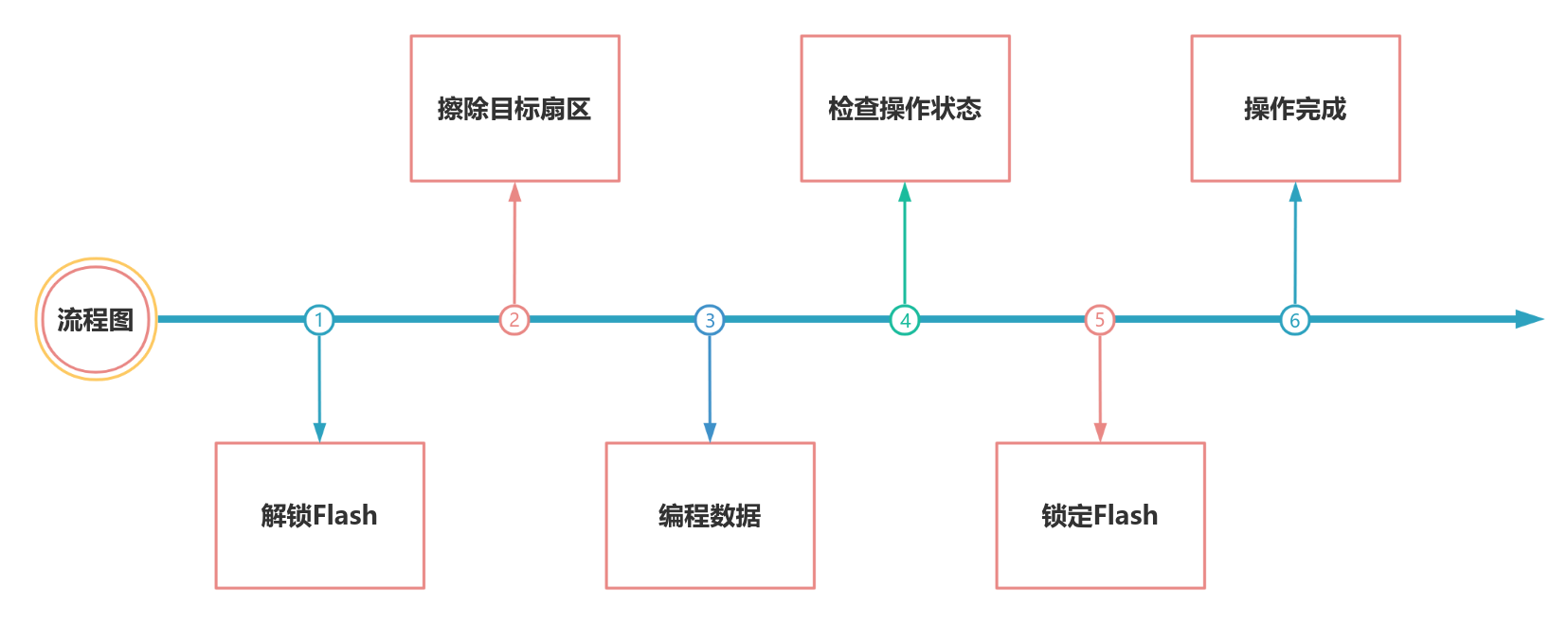
1.Unlock Flash - Enable Programming Preconditions
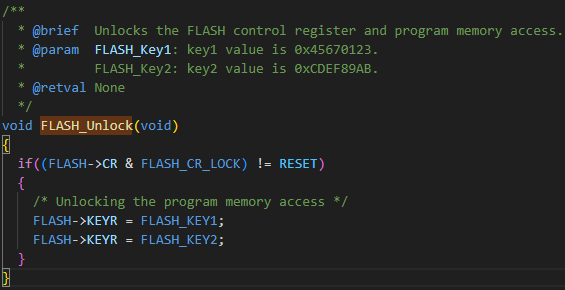
Before performing erasing or programming operations, unlock Flash first. Using the FLASH-UNlock() function, write KEY1=0x4567 0123 and KEY2=0xCDEF 89AB to the FLASH-KEYR register to unlock Flash.
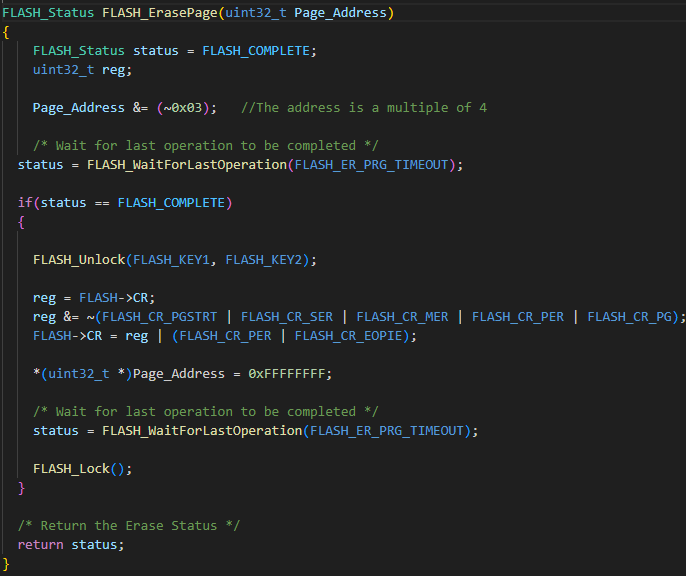
2. Erase operation - clear the operation area
Before programming Flash memory, the target area should be in an erased state. Use the FLASH-ErasePage function to perform erase operations in preparation for subsequent programming.
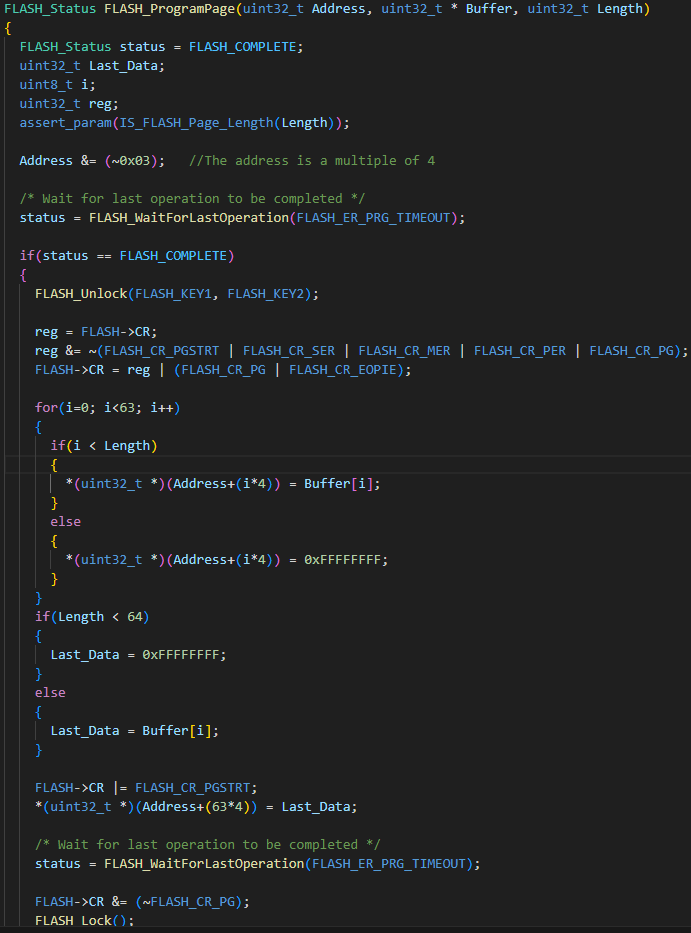
3. Programming operation - Writing target data
After erasing is complete, use the FLASH-ProgramPage function to write data to Flash in units of words (32 bits).
Flash Programming Example - Practical Operation
[Detailed Explanation of Option Register Operation Process]
The configuration of the Option register needs to follow a certain process: Unlock Flash → Unlock Option → Configure → Start → Lock.
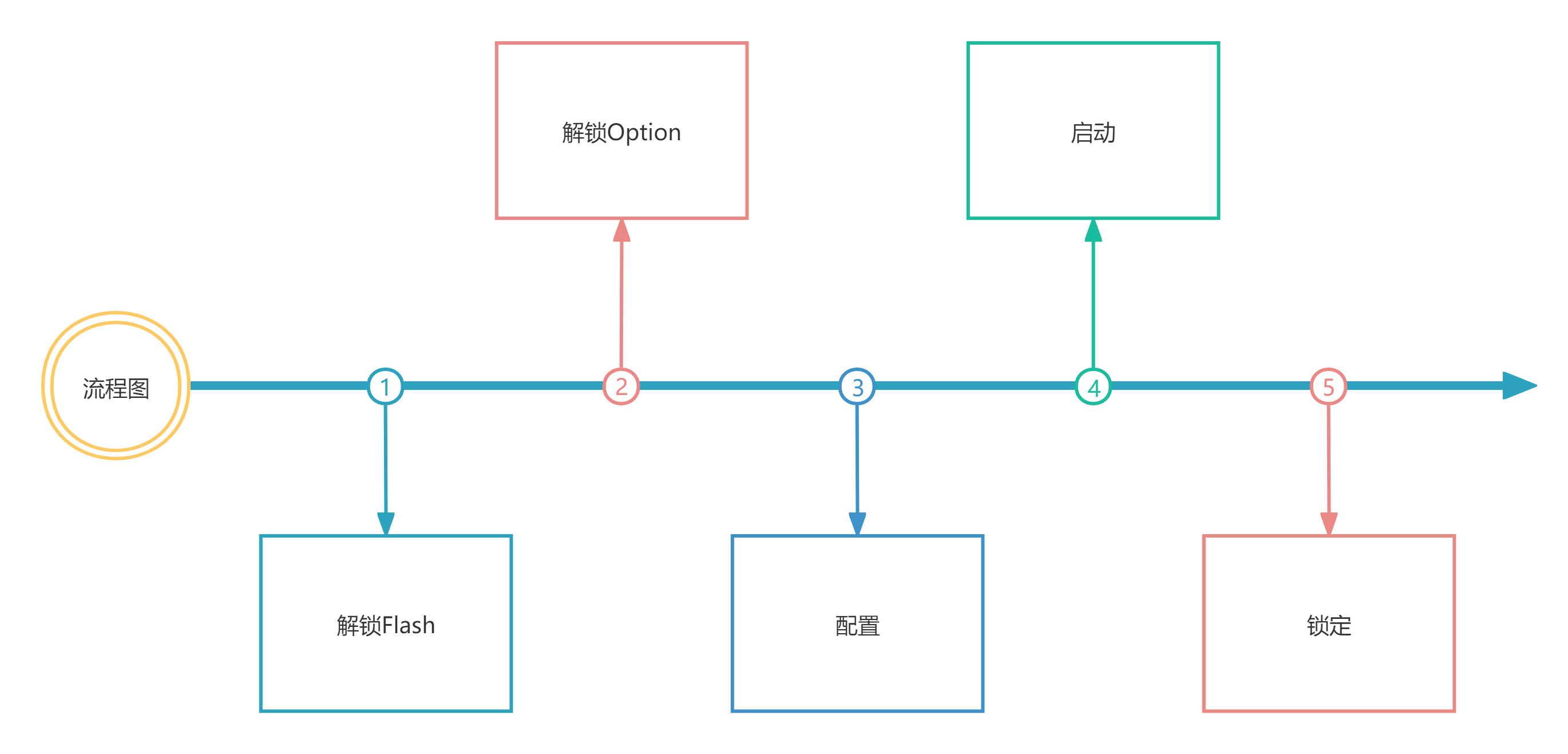
1. Unlock Flash and Option registers - necessary unlocking steps
Before modifying the Option register, unlock the main Flash control register and the Option register in sequence.
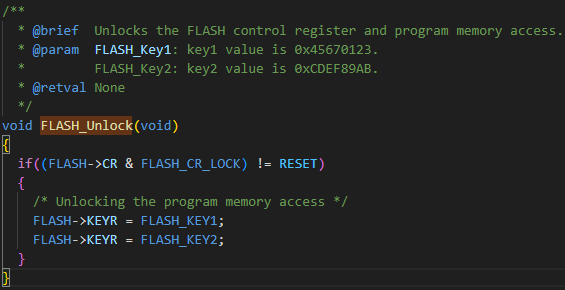
Unlock the Flash control register using the FLASH-UNlock() function.
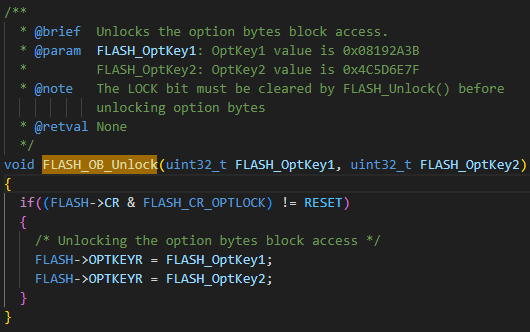
Unlock the Option register using the FLASH-OB_Unlock function, and write OPTKEY1=0x08192A3B and OPTKEY2=0x4C5D6E7F to the FLASH-OPTKEYR register to complete the unlock.
2. Configure Option Register - Set Parameters on Demand
After unlocking, configure the various parameters of the Option register according to actual needs.
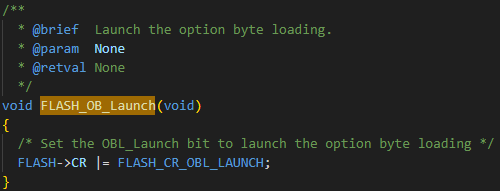
3. Apply Option Configuration - Make Configuration Effective
After the configuration is completed, execute the FLASH-OB_Launch function to start loading the Option byte, and the system will automatically reset. The new Option register configuration will take effect after the reset. After reset, the bits related to the Option byte in the FLASH-CR register are write protected.
Alright, that's all for today's introduction to YS32 series FLASH programming in YS ecosystem tools. We have learned about the characteristics and basic operations of FLASH memory, as well as the configuration method of Option register. By mastering these, everyone can be more proficient in practical development. If you encounter any problems during the operation, you may want to review these key points more and believe that they can help you solve many troubles. Looking forward to everyone achieving brilliant results in the project!



0755-86227153





