


















Introduction to Low Power Mode
When the chip is not working continuously, it can enter low-power mode, mainly in two ways:
Sleep mode: CPU clock is turned off (NVIC SysTick and other work stops), and peripherals can be configured to maintain working status.
Stop mode: SRAM and register contents are retained, high-speed clock PLL, HSI, and HSE are turned off, and most module clocks in the VDD domain stop. There are two power supply modes to choose from for this mode:
LPR mode: Low power consumption, but longer wake-up time.
MR mode: High power consumption, but short wake-up time.
After entering low-power mode, it can be awakened through interrupts, events, and other means. Users need to seek the best balance between low power consumption, short startup time, and available wake-up sources based on actual applications, and choose the appropriate
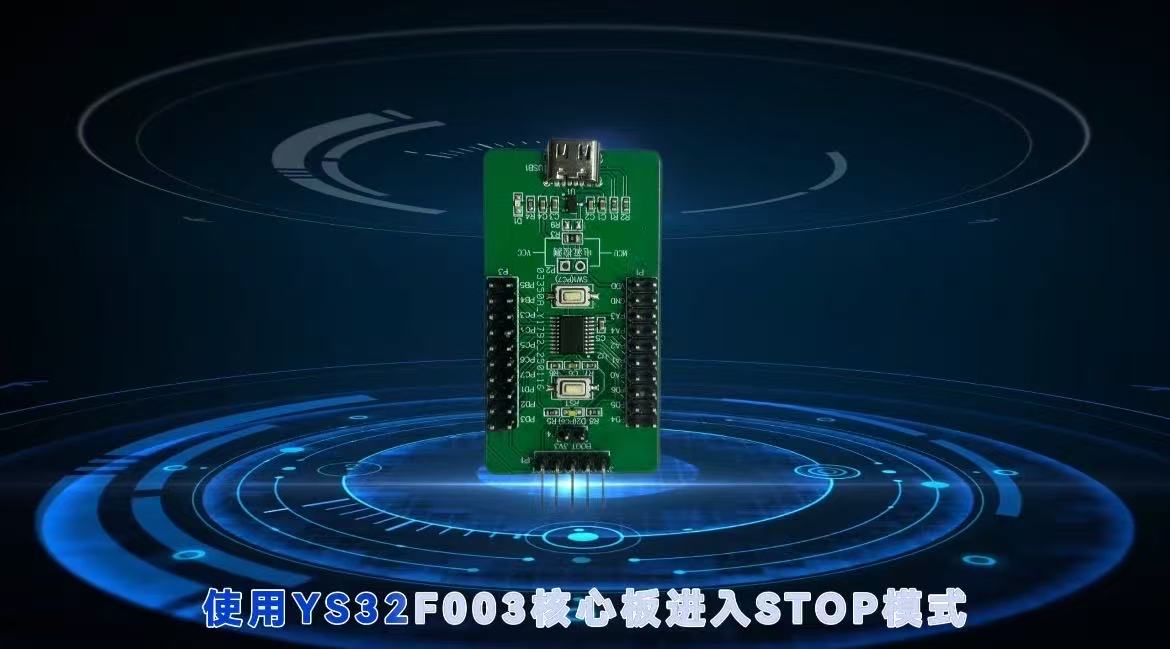
The YS32 chip supports two low-power modes: Sleep (CPU sleep, flexible peripheral configuration) and Stop (SRAM/register data retention, MR/LPR dual power supply mode balancing power consumption and wake-up speed), which can be awakened through interrupts and other means. Developers can flexibly choose according to their application needs. This time, taking the YS32F003 core board as an example, YSGPT tool is used to demonstrate the Stop mode~
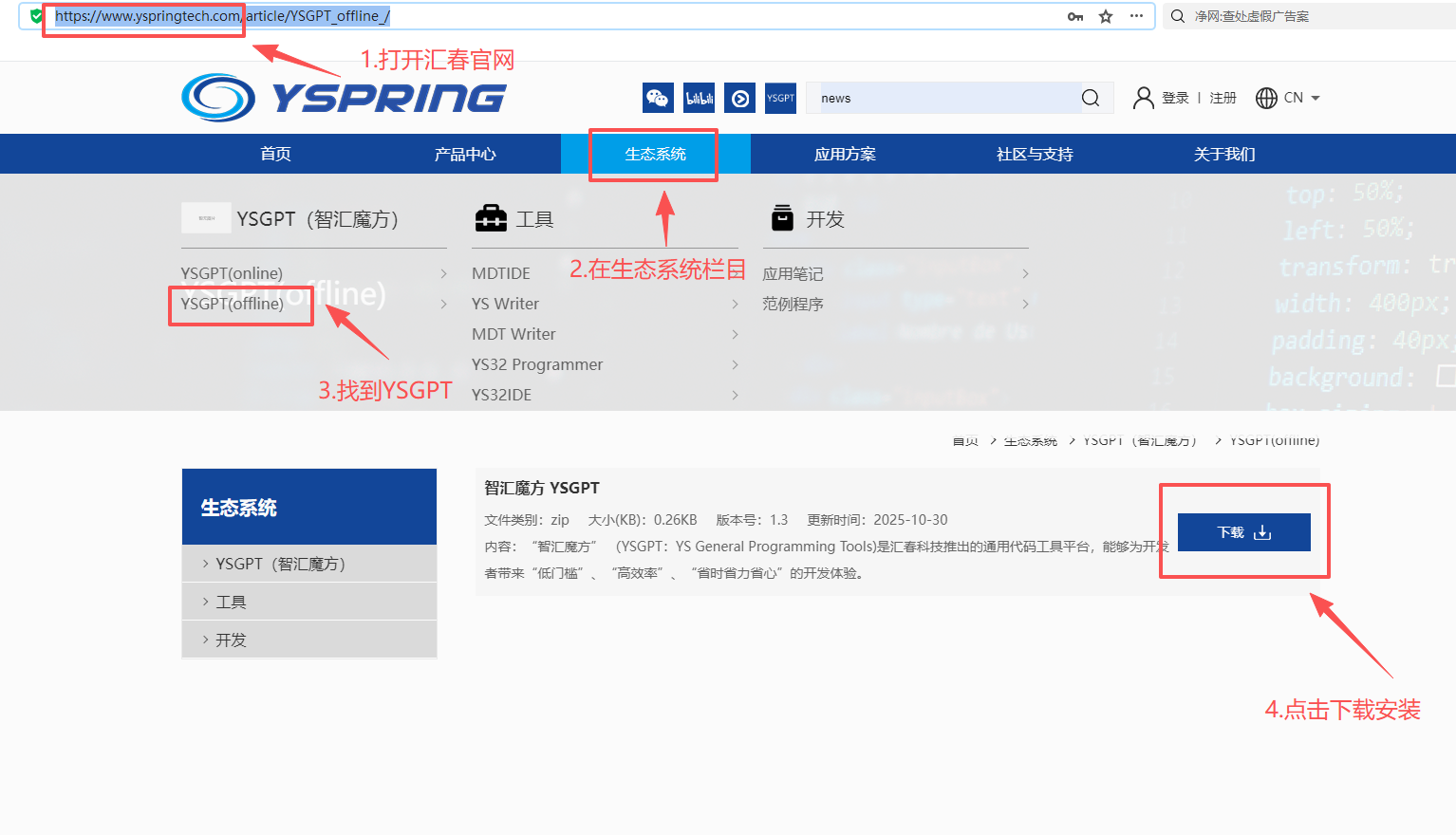
New Project and Project Settings
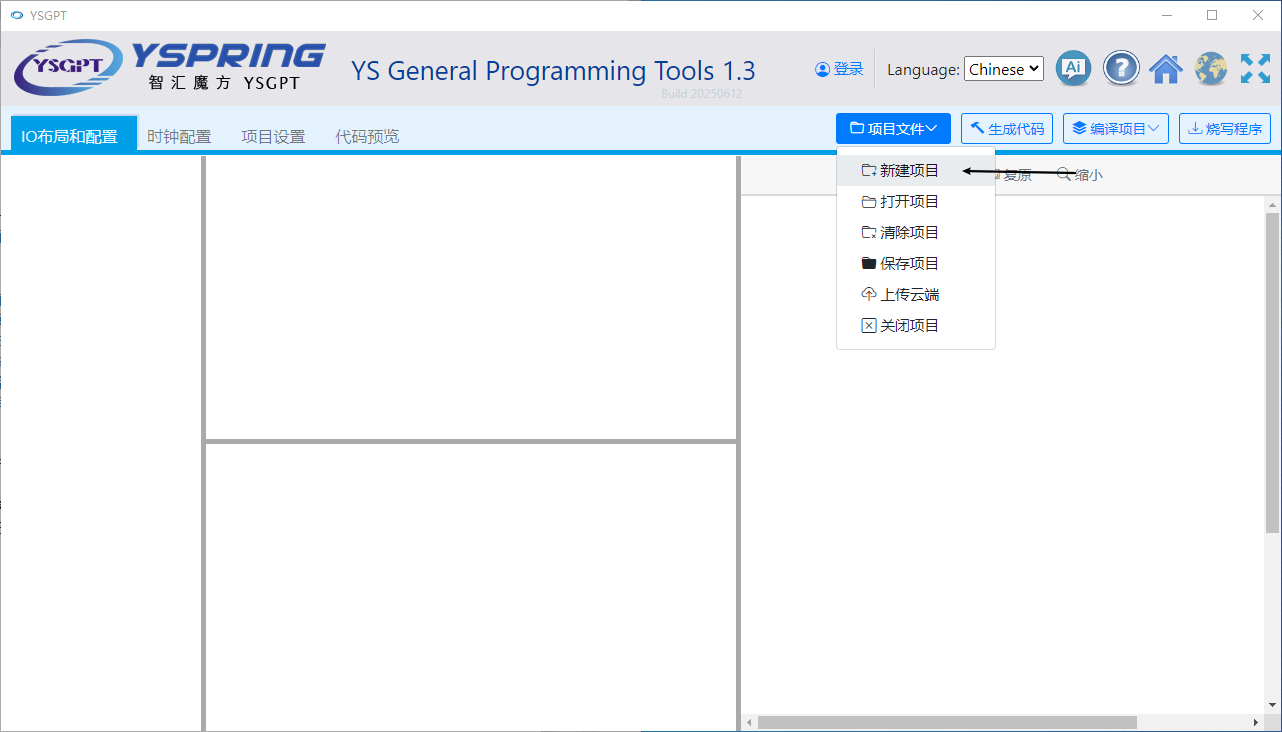
Open YSGPT, click on "Project Files" ->"New Project".
Select YS32F003 series, then select YS32F003F6P6, click the "START" button to enter the main interface.
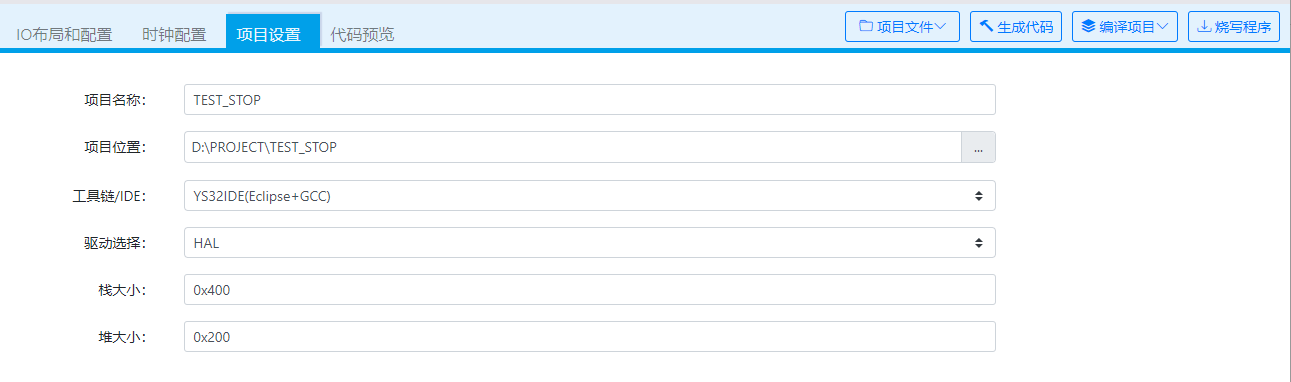
Click on Project Settings to configure project information:
Project Name: TEST STOP
Project location: D: \ PROJECT \ STEST-SOP
Toolchain: YS32IDE
Driver: HAL
Set IO port
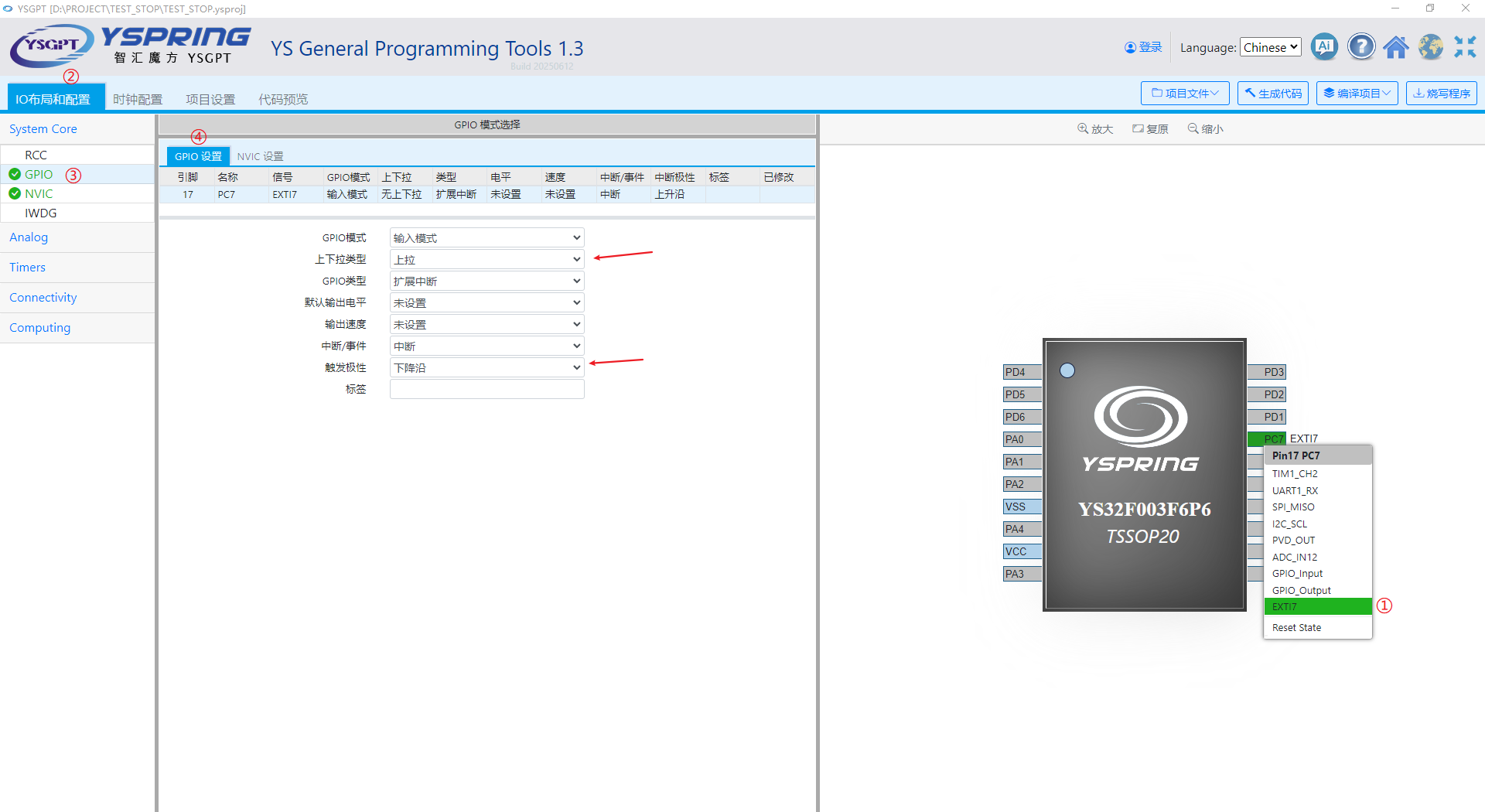
Configuration Interrupt:
Click on the PC7 pin and select EXTI7 from the pop-up menu.
Expand the System Core submenu under the "IO Layout and Configuration" menu and select GPIO.
Click on the "GPIO Settings" on the right, select the PC7 pin, choose "Pull Up" for the up/down type, and select "Falling Edge" for triggering polarity
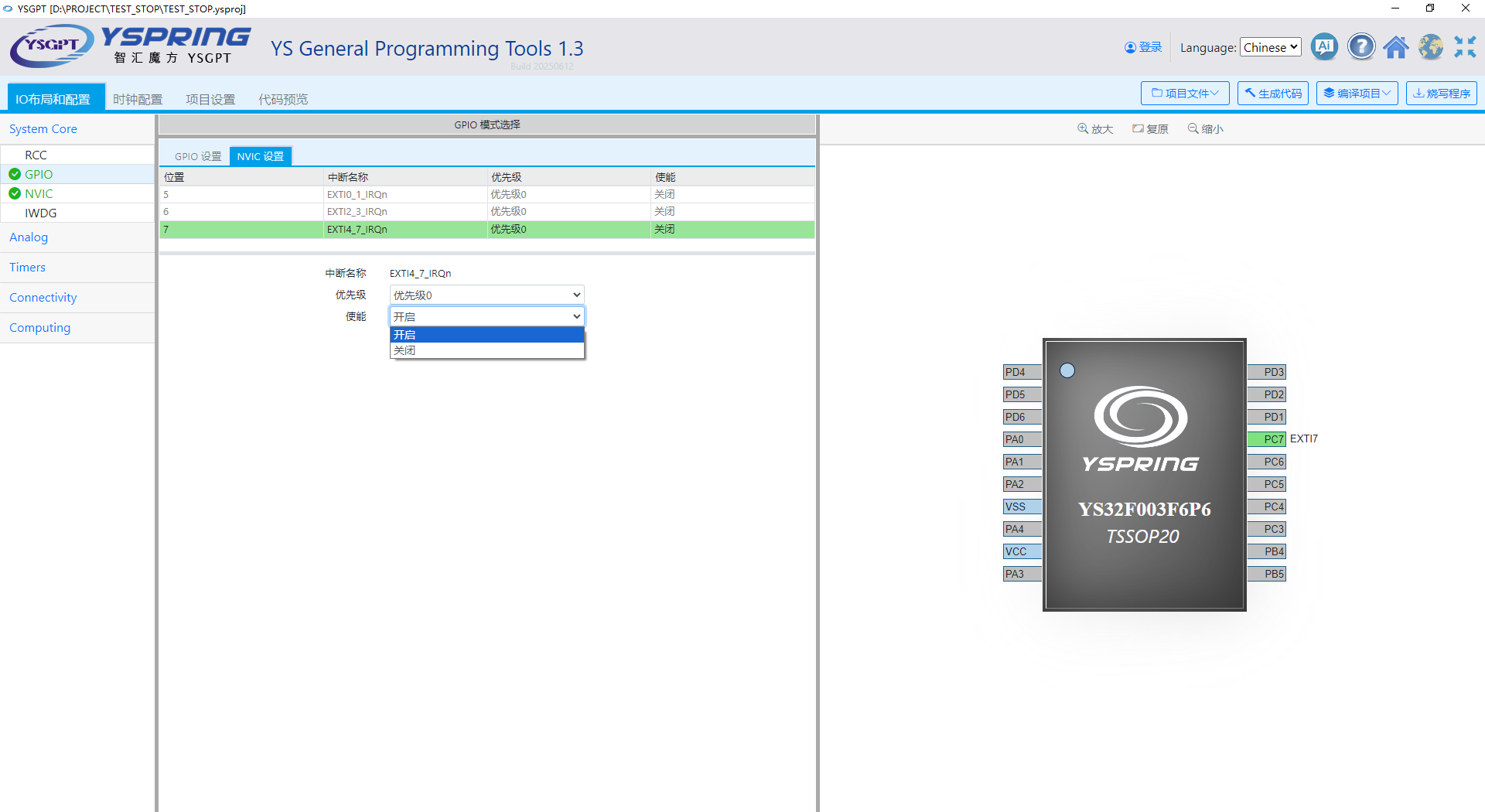
NVIC Settings: Click on NVIC Settings, select "EXTI4_7_SRQn", and choose "Enable" from the enable options
Code generation and STOP mode code writing
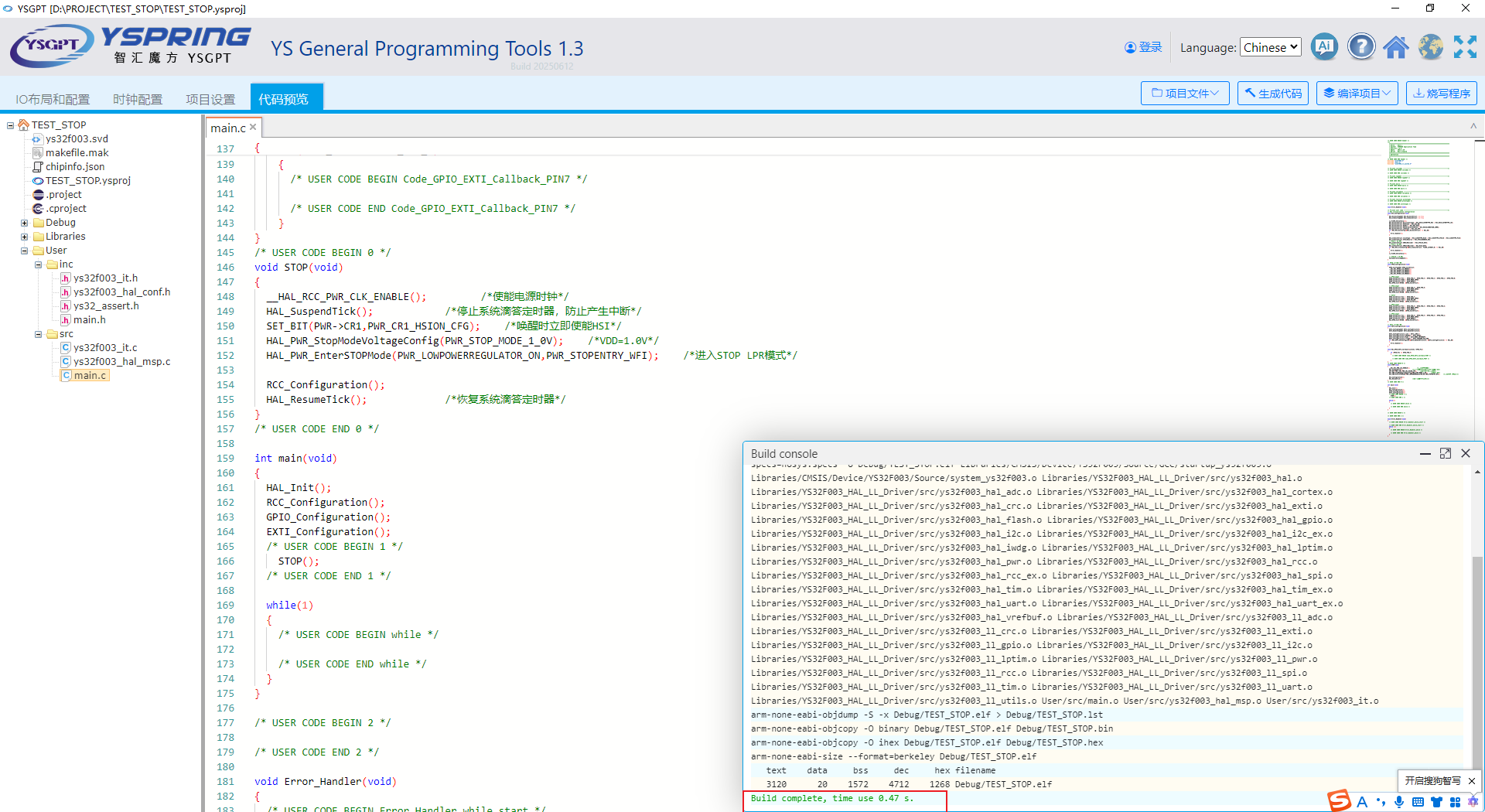
Click the "Generate Code" button, then switch to the "Code Preview Interface" where you can see the generated initialization code
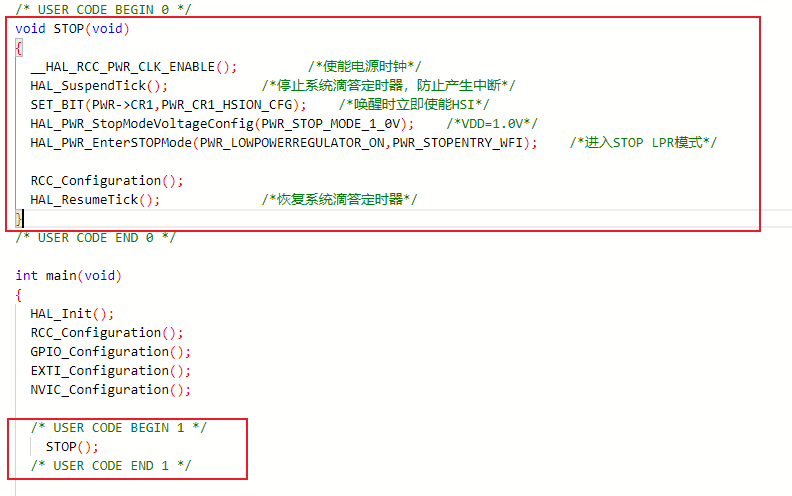
Find '/* USER CODE BEGIN 0 */' and write code inside it to enter STOP mode.
Use the STOP function in the "/* USER CODE BEGIN 1 */" of the main function.
Compile and Burn Programs
Click on 'Compile Project', wait for compilation to complete, and display 'Build complete'.
Connect the simulator to the YS32F003 core board.
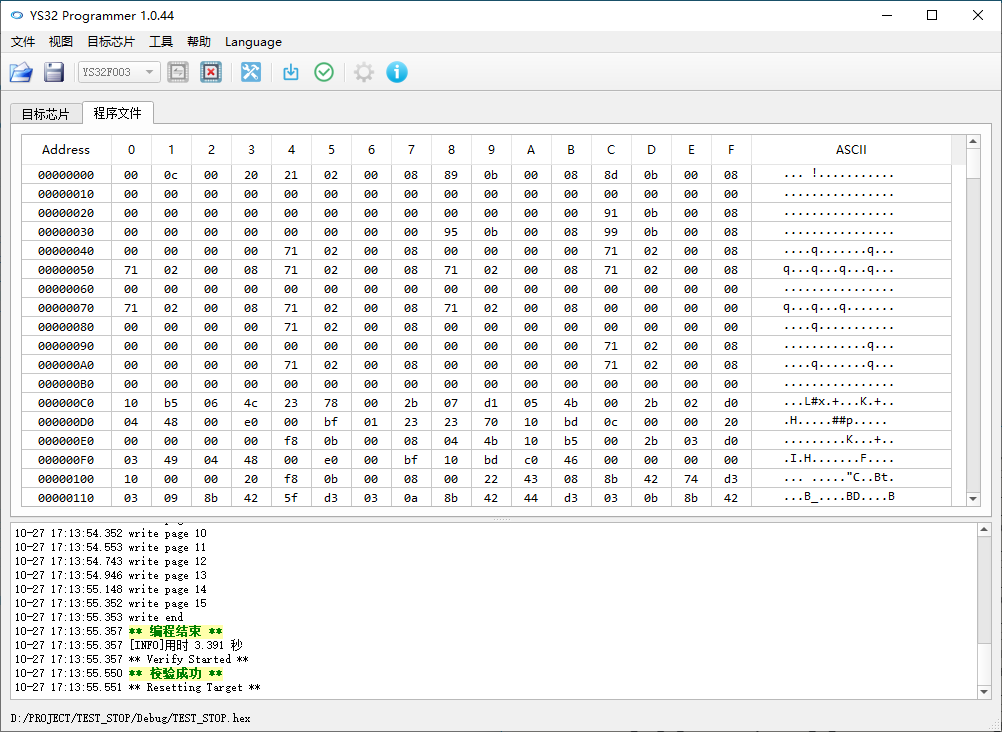
Click on 'Burn Program' and wait for 'Verification Successful'
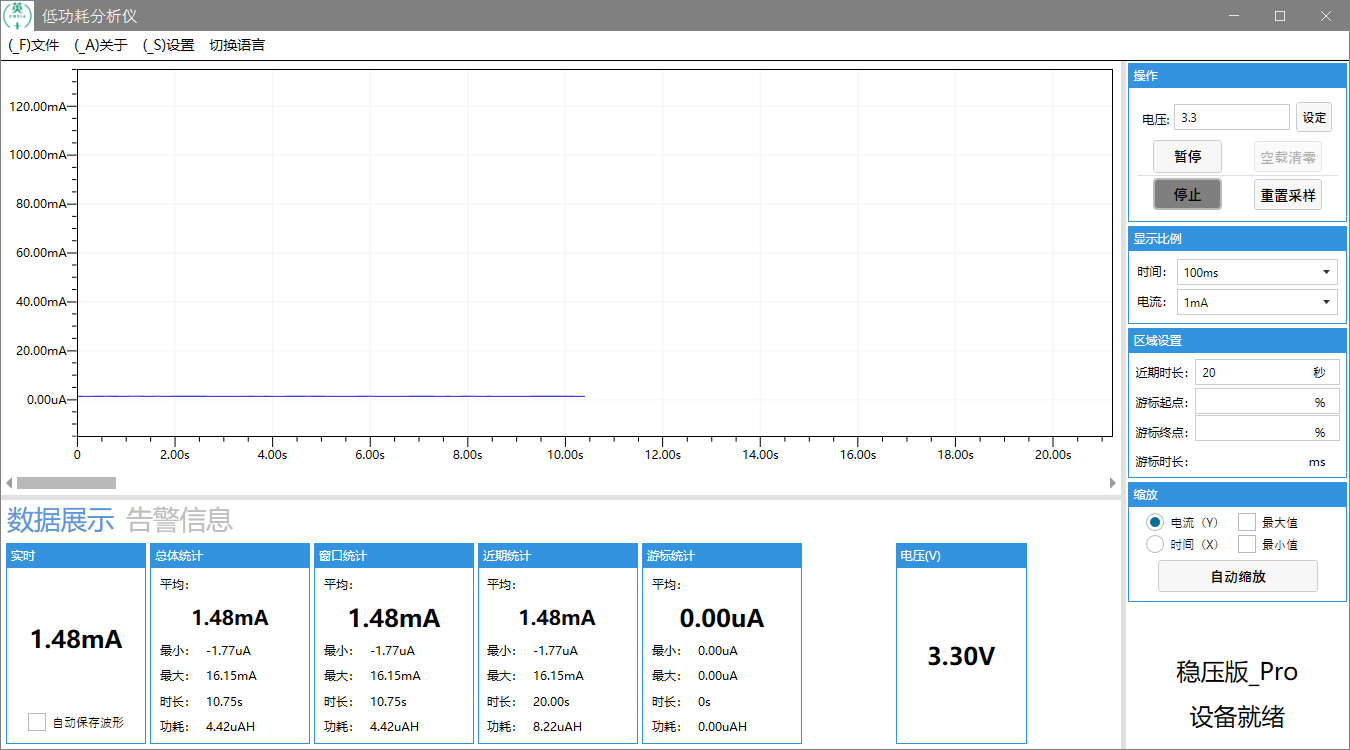
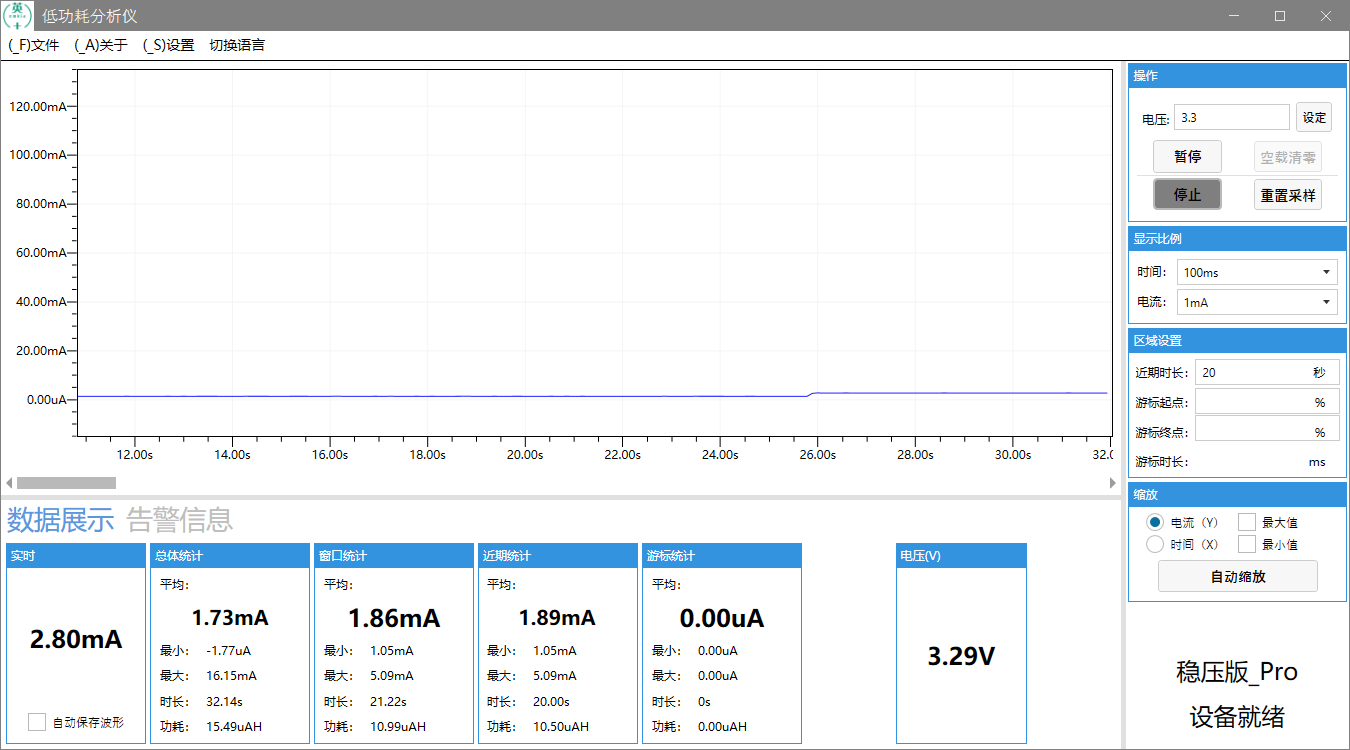
From the display effect, it can be seen that the power consumption of the chip decreases after entering STOP mode. If you want to further reduce power consumption, you can achieve it by setting IO ports and other methods.
Through the introduction and demonstration of low-power development in the YS32 series, we have gained a deep understanding of the characteristics, entry methods, and application processes of the low-power mode of the YS32 chip in practical development. Low power design is crucial in the development of modern electronic devices, as it not only extends the device's battery life but also reduces energy consumption, in line with the development concept of green environmental protection.
With the rapid development of fields such as the Internet of Things and wearable devices, the demand for low-power performance of chips is also increasing. The YS32 series chips provide powerful support for developers with their rich low-power modes and flexible configuration options. In the future, we look forward to the continuous optimization and improvement of YS ecosystem tools, launching more convenient functions and examples to help developers carry out low-power development more efficiently. At the same time, we also hope that developers can fully utilize these tools and resources to develop more innovative and competitive low-power products, promoting the development of the electronics industry towards greater energy efficiency and effectiveness.



0755-86227153





